Why Every Game-Ready Model Needs LODs
 By Adarsh A K
| August 12, 2026
By Adarsh A K
| August 12, 2026
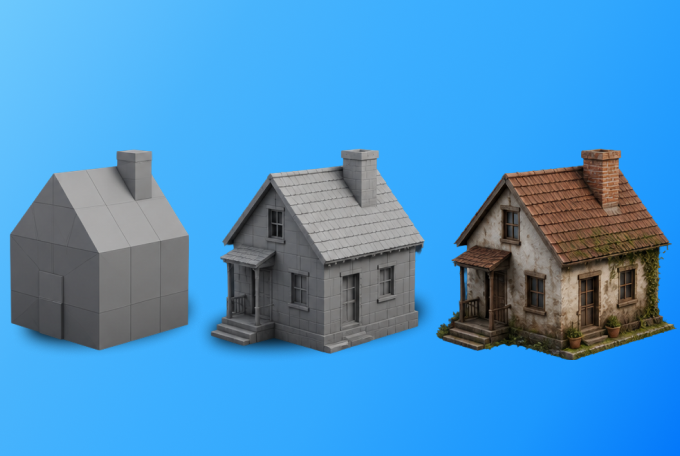
Creating a game-ready 3D model is more than just achieving realistic textures and clean topology. While visual quality is important, performance plays an equally critical role in delivering a smooth gaming experience.
This is where Level of Detail (LOD) comes in. LOD is one of the most effective optimization techniques used in modern game development. It allows developers to maintain high visual quality while significantly improving real-time performance.
Let’s understand why every game-ready model should include LODs.
What is LOD?
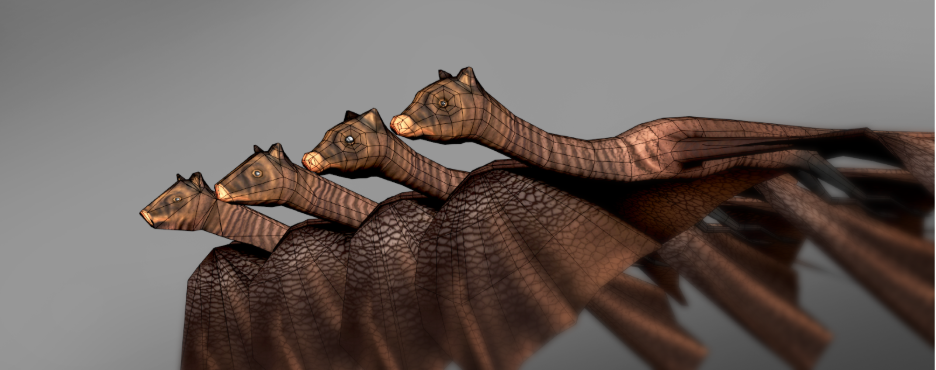
LOD (Level of Detail) is an optimization technique where multiple versions of the same 3D model are created with different polygon counts.
When an object is close to the camera, the game engine displays the highest-quality version. As the object moves farther away, it automatically switches to lower-detail versions. Since distant objects occupy fewer pixels on the screen, players rarely notice the reduction in detail.
This approach helps reduce rendering workload without affecting the overall visual experience.
Why Are LODs Important?
1. Better Game Performance
Rendering thousands of high-polygon models at the same time puts heavy pressure on the GPU. LODs reduce the number of polygons that need to be rendered, resulting in smoother gameplay and higher frame rates.
2. Reduced GPU and CPU Load
By displaying simpler models for distant objects, the game engine processes fewer vertices and triangles. This reduces the workload on both the graphics card and the processor.
3. Faster Rendering
Objects that are far away don’t need every small detail. Using lower-detail models allows the engine to render scenes more efficiently without affecting the player’s experience.
4. Improved Experience on All Devices
Whether the game is played on a high-end gaming PC, a console, or a mobile device, LODs help maintain consistent performance across different hardware configurations.
5. Essential for Open-World Games
Large environments often contain thousands of objects such as trees, buildings, vehicles, and rocks. Without LODs, rendering all these assets at full quality would significantly reduce performance.
How LOD Works
A typical game asset includes several versions of the same model.
- LOD0 – Highest detail, displayed when the object is close to the camera.
- LOD1 – Moderate detail for mid-range viewing.
- LOD2 – Simplified geometry for distant objects.
- LOD3 – Very low-detail model used at long distances.
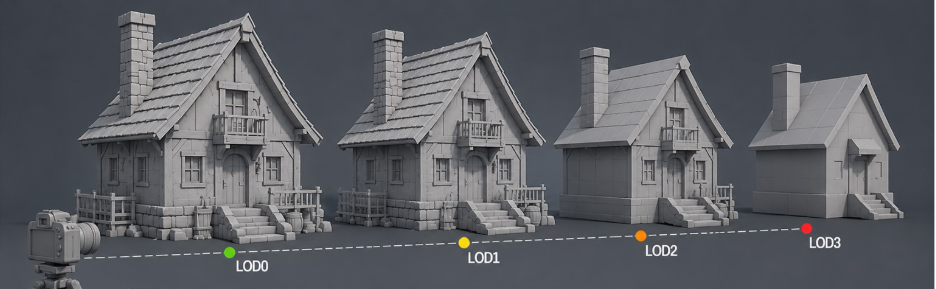
The game engine automatically switches between these versions based on the camera’s distance, ensuring the best balance between quality and performance.
Best Practices for Creating LODs
- Reduce polygon count gradually instead of making drastic changes.
- Keep the overall shape (silhouette) consistent across all LOD levels.
- Remove small details that are not visible from a distance.
- Test LOD transitions inside the game engine to avoid noticeable “popping.”
- Create LODs based on the asset’s importance and how often players see it up close.
Where Are LODs Used?
LOD systems are widely used across real-time applications, including:
- Video games
- AR applications
- VR experiences
- WebGL projects
- Digital Twins
- Interactive product visualization
- Architectural visualization
Wherever real-time rendering is involved, LODs play a key role in maintaining performance.
The Final Render
A game-ready model is more than just a clean mesh and high-quality texture. It should also be optimized for real-time performance. LODs help achieve the perfect balance between visual quality and efficiency, ensuring that games run smoothly while still looking great.
No matter whether you’re creating assets for games, AR, VR, or WebGL applications, adding proper LODs is a professional practice that improves performance and delivers a better user experience.
Author
Related articles

Contact us

Leave us basic information about a project and we will get back to you with answer
Need instant answers?
Our AI assistant is available 24/7 to answer questions on pricing, timelines, and project scope.
Click Here